How to integrate design tokens from Figma into Tailwind CSS efficiently


TL;DR
Find out how the Figma Token Exporter plugin lets you transfer your design tokens into Tailwind CSS seamlessly. Save valuable development time and avoid inconsistencies between design and code, which can be updated again quickly at any time without having to check every single style. In just a few clicks you export all colour definitions, semantic tokens and styles straight out of Figma, perfectly formatted for your Tailwind configuration.
The technical workflow: from Figma to Tailwind
The challenge with design tokens
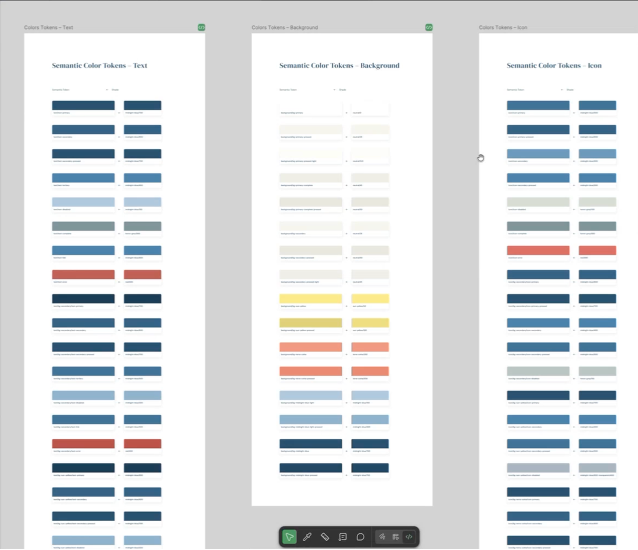
In our software projects, our designers increasingly work with design token systems. These cover not only simple colour definitions but also semantic tokens, named references that assign a functional meaning to particular colours. With extensive design systems, transferring these tokens into the Tailwind configuration by hand can quickly become a time-consuming and error-prone process.
The Figma Token Exporter in use
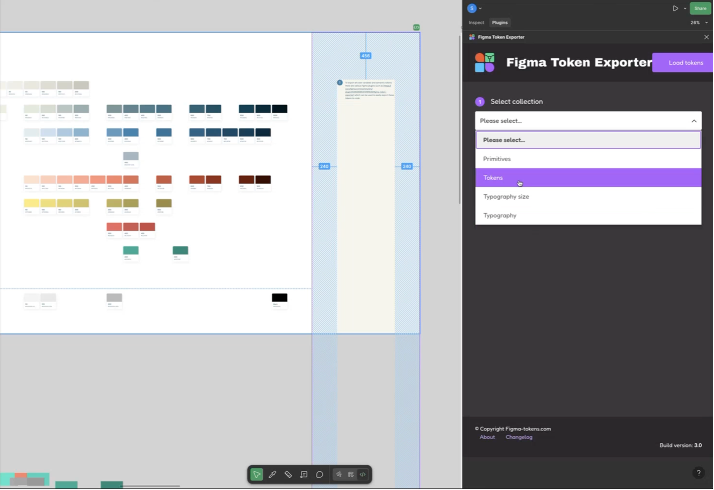
The Figma Token Exporter plugin offers a practical solution to this problem. With more than 10,200 users, the tool has established itself in the community. It allows Figma variables to be exported in various formats:
- CSS
- SASS
- Less
- Stylus
- Tailwind
The workflow could hardly be simpler: after opening the plugin in the Figma design, you load the tokens you have defined. You can then select exactly the tokens you want and set the export format. The result is a structured file with all the CSS variables and their values.
Integration into the Tailwind configuration
A proven approach to integration is to set up a basic structure in the Tailwind configuration first. This serves as a template for the tokens to be imported:
Codeblock-Beschriftung (unverändert lassen): JavaScript (file: tailwind.config.ts)
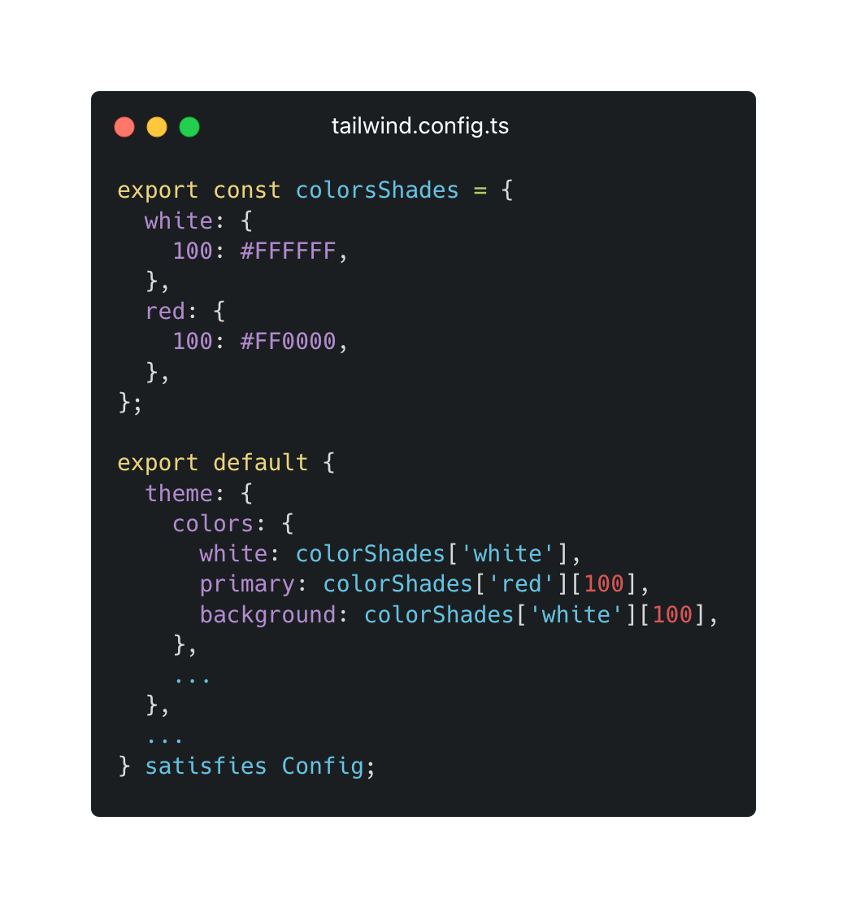
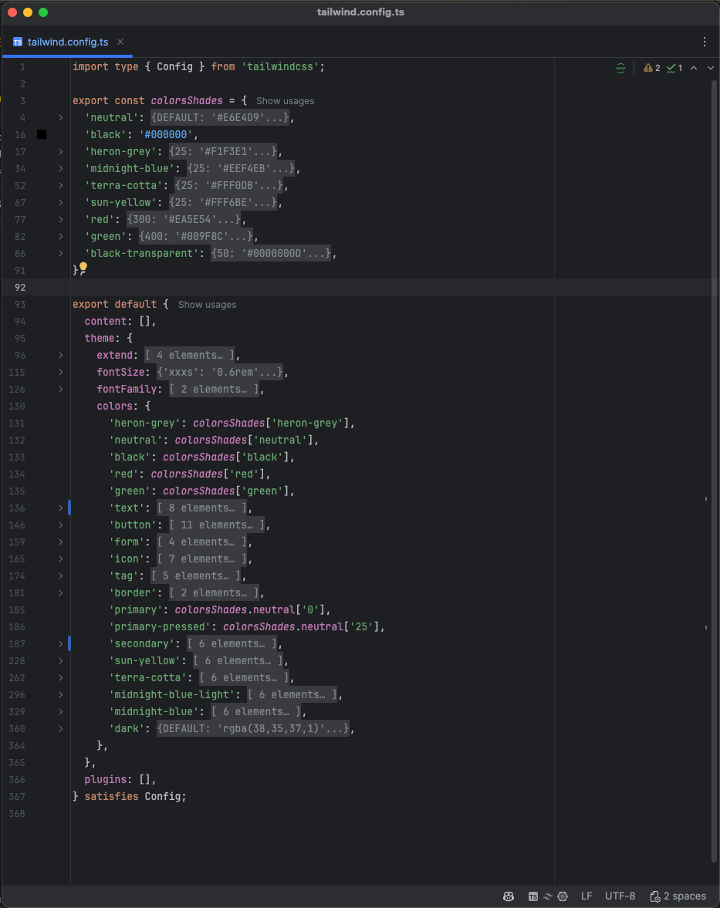
It is worth separating base colour values from their semantic tokens here. The semantic tokens then reference the base colour values, which creates a consistent structure. With this template, an AI assistant such as Claude can automatically convert the tokens exported by the plugin into the right format and fill in missing values.
Key insights from practice
One critical point when working with Figma designs: the colour tokens defined directly in Figma are the most reliable source for colour values. Colour codes entered manually as text on the Figma canvas can be wrong and should be treated with caution. That insight underlines the value of an automated export process.
The workflow described here is not only suited to the initial project phase. When the design system changes or is extended later, updates can be carried out efficiently. Designers continue to maintain their tokens in Figma, while developers can pull the updated values into their codebase in a few steps.
Conclusion
Integrating design tokens from Figma into Tailwind CSS does not have to be a manual slog. With the right tooling and a well-thought-out workflow, you build a seamless bridge between design and development. Your teams work together more efficiently, inconsistencies are avoided and changes can be implemented in no time.
Want to talk to us about your next software project? Book a no-obligation consultation now.



Tech Newsletter
Join our 2,000+ subscribers and receive monthly updates on our latest articles, case studies, webinars, events, and industry news.