Hackathon: How we built 3 AI cases in 2 days without pizza

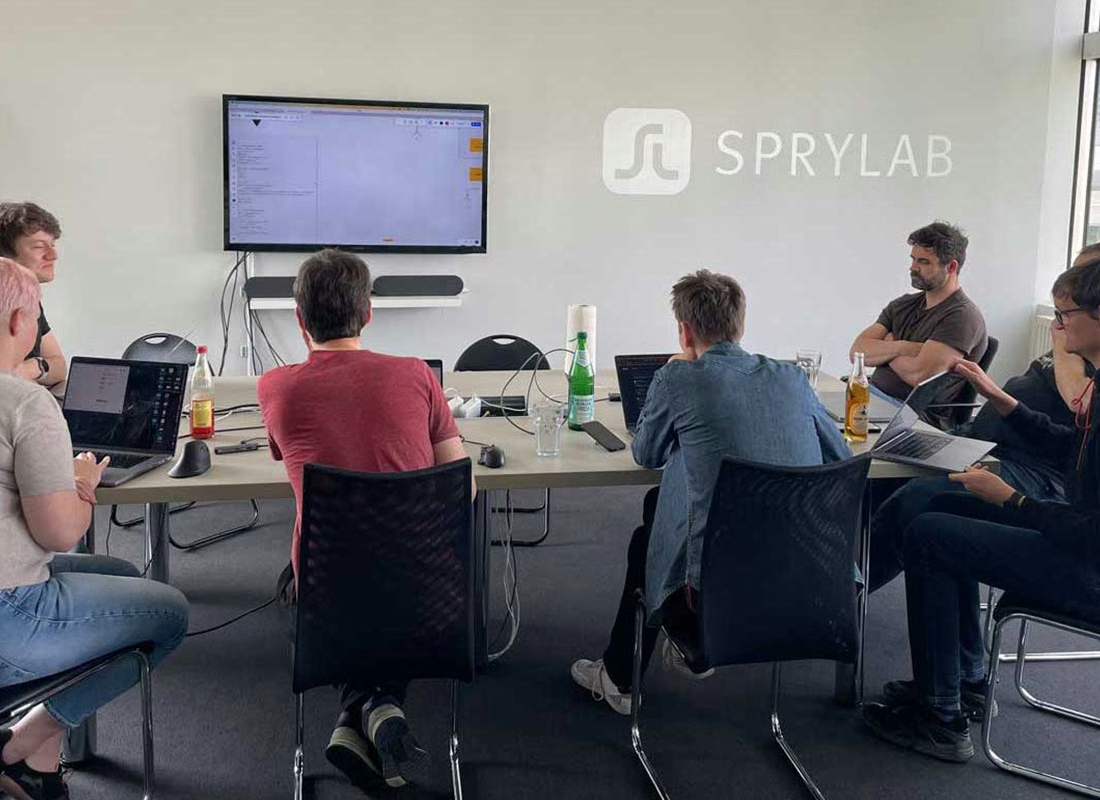
In an internal hackathon, software developers and project managers at SPRYLAB spent two days taking a deep dive into AI and machine learning.
We had one goal above all – the keyword being "innovation spikes". We wanted to take enough time to respond to our clients' strong interest in the potential and risks of artificial intelligence and to dig deeper into the latest developments around tools such as GPT. In the spirit of: "What if the legal and data protection challenges of AI were already solved – where would we use AI?"
For this first step, we set ourselves the task of finding out how GPT can support us internally, either by automating our own processes or by improving their quality. To that end, we held an ideas competition beforehand. In the end, three of 20 ideas remained after a democratic vote.
During the two-day hackathon, three groups then worked on the following use cases.
Use case 1: From design straight to code

Our software developer Yannis came up with the idea of automatically converting Figma designs into React code and Tailwind CSS. Why? This process has to be done in every project and offers great potential for saving time.
As the basis for the implementation, the team used a plugin that generates a Tailwind config and HTML from a design template – apart from minor rounding errors, this worked smoothly. These results were then used as input for ChatGPT. Fed with an extensive prompt, the tool returned a result in the form of a React component after about a minute on average. Because the result was not satisfactory after several test runs (ChatGPT ignored some points of the initial instructions), the team immediately followed up with a standardized second prompt (including "remove redundant props" and "reduce number of HTML nodes to a minimum") that corrected these inaccuracies.
What did we learn from this use case? The results of the design-to-code conversions we tested varied widely. Surprisingly, a lot also depended on the quality and structure of the designs in Figma. With a structured guideline that clearly defines minimum standards for designers, however, this should work consistently in the future. The potential for saving time remains very promising – there is more to come here!
Use case 2: Fixing "code smells" and bugs automatically
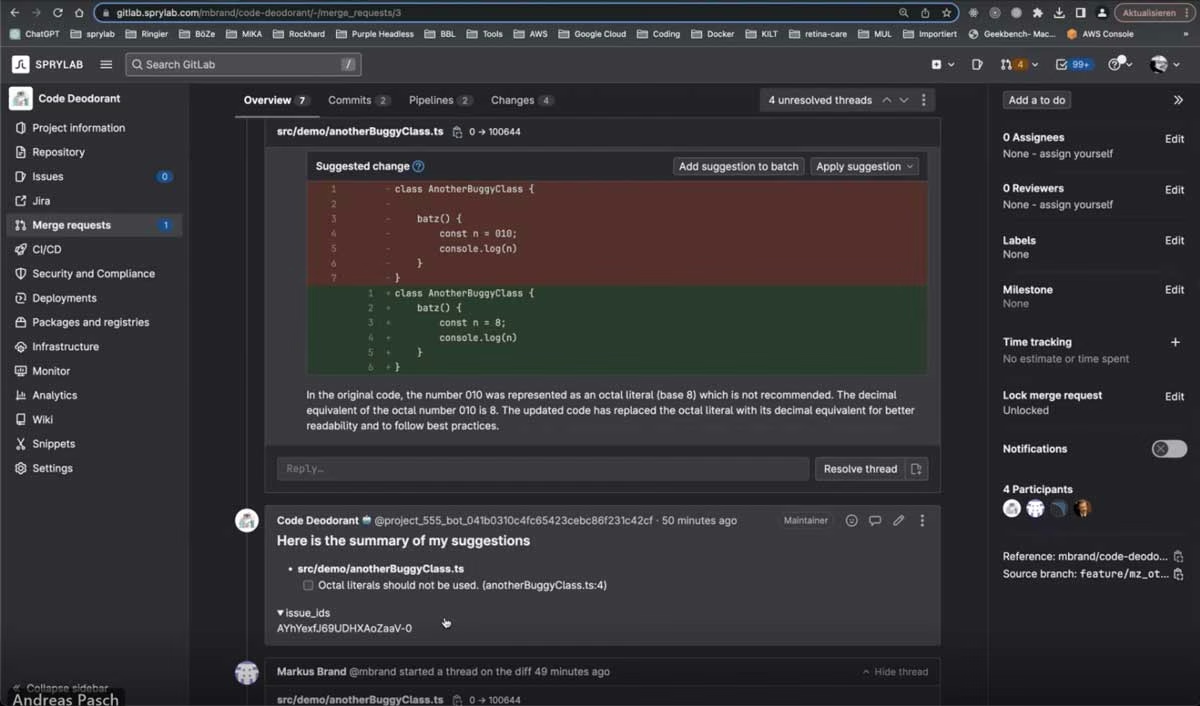
The second group set out to have errors in program code found by SonarQube fixed automatically with the help of artificial intelligence. In two days, the team led by IT architect Andreas programmed a prototype called "Code Deodorant". The tool automatically proposes merge requests as soon as the SonarQube code analysis finds problems. Moreover, it is not only able to name the errors precisely but also to briefly describe how to fix them.
What did the technical implementation look like? After the code analysis was completed, the faulty code sections were retrieved via GitLab before finally being sent automatically to ChatGPT for the proposed fix. Given the short time available, the biggest challenge was selecting the right scope of the faulty TypeScript code. After several tests, the group settled on a scope of about 10 lines – with the AI helping with the selection and correcting semantic errors.
In conclusion, we can say that automatically fixing code smells already worked well. Of course, we expect corresponding features to be brought to market soon by vendors such as SonarQube. From a technological point of view, it is particularly exciting to find a way to use the AI's creativity only in measured doses and locally – for example, only selective changes in the line in question. Overlapping code smells in the same code section are a further challenge. Either way, we are looking forward to the future, when this use case becomes available as a feature.
Use case 3: Automatically generating useful test data

The third use case was about automatically generating attractive and internally consistent test data sets, including different variants. Various formats such as JSON, CSV, YAML or XML were possible.
How does the tool work? Users start by uploading selected test data. In the background, the tool uses ChatGPT to create a JSON schema. To achieve this, the team combined various tasks into prompts that are triggered as needed. Work always continues on the same model. Particularly useful: a management panel lets you specify further commands (for example, which additional data is required) and specifications (for example, value ranges). This allows users to communicate directly with the tool and fine-tune the data sets.
As a tool for generating suitable test data sets automatically and efficiently, this use case is of course particularly exciting for our own QA team.
What's next for AI at SPRYLAB?
Of course, there was also delicious food (Asian), plenty of cold drinks, spontaneous discussion groups and much more. All in all, the hackathon was a very successful event – because we tried out new things and had even more fun!
GPT-4 delivered impressive results in all use cases. Particularly interesting: the performance varied greatly depending on the use case – while in some use cases there were, in part, no relevant differences at all between GPT-4 and GPT-3.5.
So what's next for AI at SPRYLAB? Together with our clients, we will continue to develop tailor-made use cases. Beyond ChatGPT, the topics of "self-hosting" and "training on proprietary data" will remain our top priority. Because only if AI can be used in compliance with data protection rules can sensitive data (such as personal and health data) be processed in AI applications. By the way, you can find out more about our AI projects so far here.



Tech Newsletter
Join our 2,000+ subscribers and receive monthly updates on our latest articles, case studies, webinars, events, and industry news.