Meeting culture: Guaranteed time savings in 5 simple steps

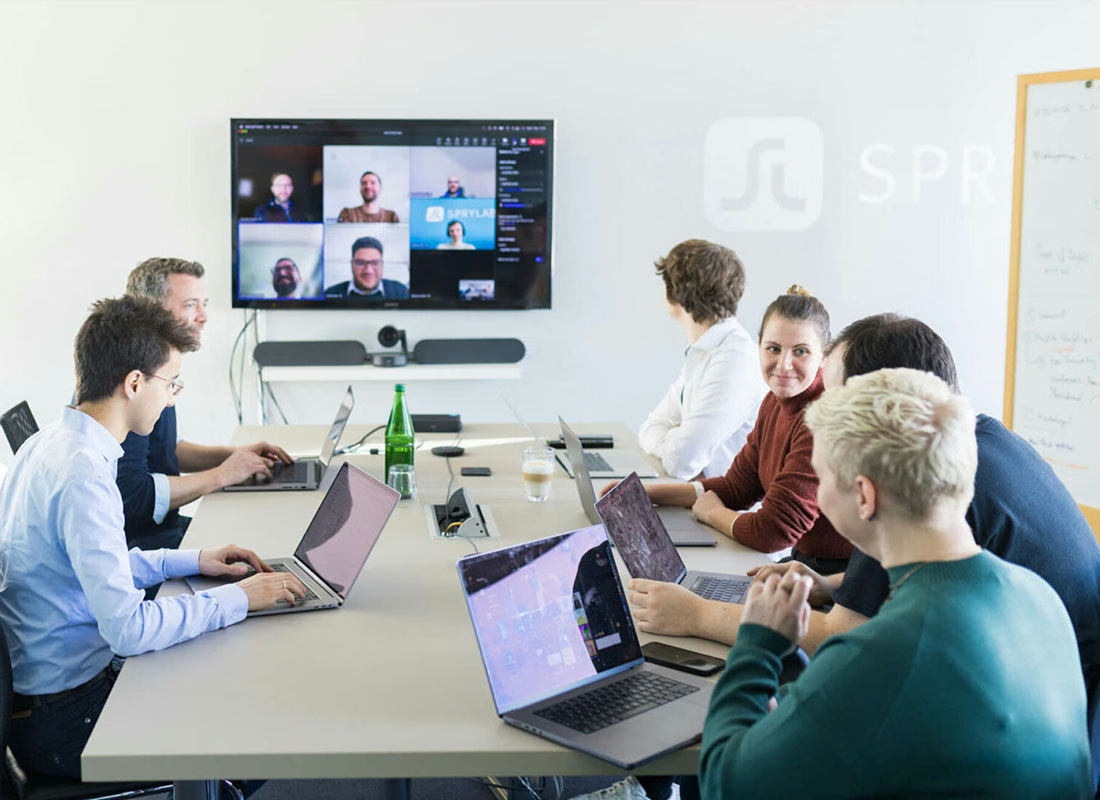
In the wake of the coronavirus pandemic, the number of meetings – especially online meetings – has increased rapidly for us since 2020. At SPRYLAB, we currently work in a hybrid model. Apart from one day per week in the office, everyone is free to work from the office or from home. So it is part of our everyday life that at least one person joins a meeting remotely. Quite often, everyone takes part online.
However, Jeffrey Hancock, Professor of Communication at Stanford University, found that video conferences are much more exhausting than meeting in person. The exhaustion and fatigue caused by video conferences has a name: "Zoom fatigue". The reason is that in video conferences you are not only "watched" by others, but you also constantly see yourself. Personally, I can imagine that video conferences are also more exhausting because non-verbal cues are missing and you see several faces on one screen at once.
Unstructured meetings
In other words, we not only have more meetings than before, these meetings are also more exhausting for us. The calendars of most SPRYLAB colleagues – especially the managers – were overflowing with appointments. For many problems, the usual answer was "I'll set up a meeting for us."
The result was:
- Too many meetings
- With too many participants
- With an unclear objective
The invited colleagues were often unclear about:
- What is the meeting about?
- Why do I need to be there?
There is a wealth of literature and tips from other tech companies on how to run good meetings. The crux is to filter out exactly the right things for your own organization, so that they have an effect on the one hand and do not overwhelm colleagues on the other. That is why we focused on five things.
First of all: for us, a meeting starts with three people. When two people meet to exchange ideas, no special preparation is needed.
1. Deciding whether a meeting is really necessary
The main problem was that meetings were set up too quickly. So before improving the quality of our meetings, we first wanted to reduce their number. To do this, we introduced a meeting decision tree. Everyone can use it as a guide to find out whether a meeting makes sense at the current point in time.

2. Defining the goal of the meeting
In principle, every action – not only in a business context – should be goal-oriented. Every measure that is planned starts with the question: what do I want to achieve with it? This goal-oriented way of thinking often stops when meetings are created. Colleagues have a problem, are perhaps stressed, have not yet had time to think about the problem and first of all set up a meeting with four participants.
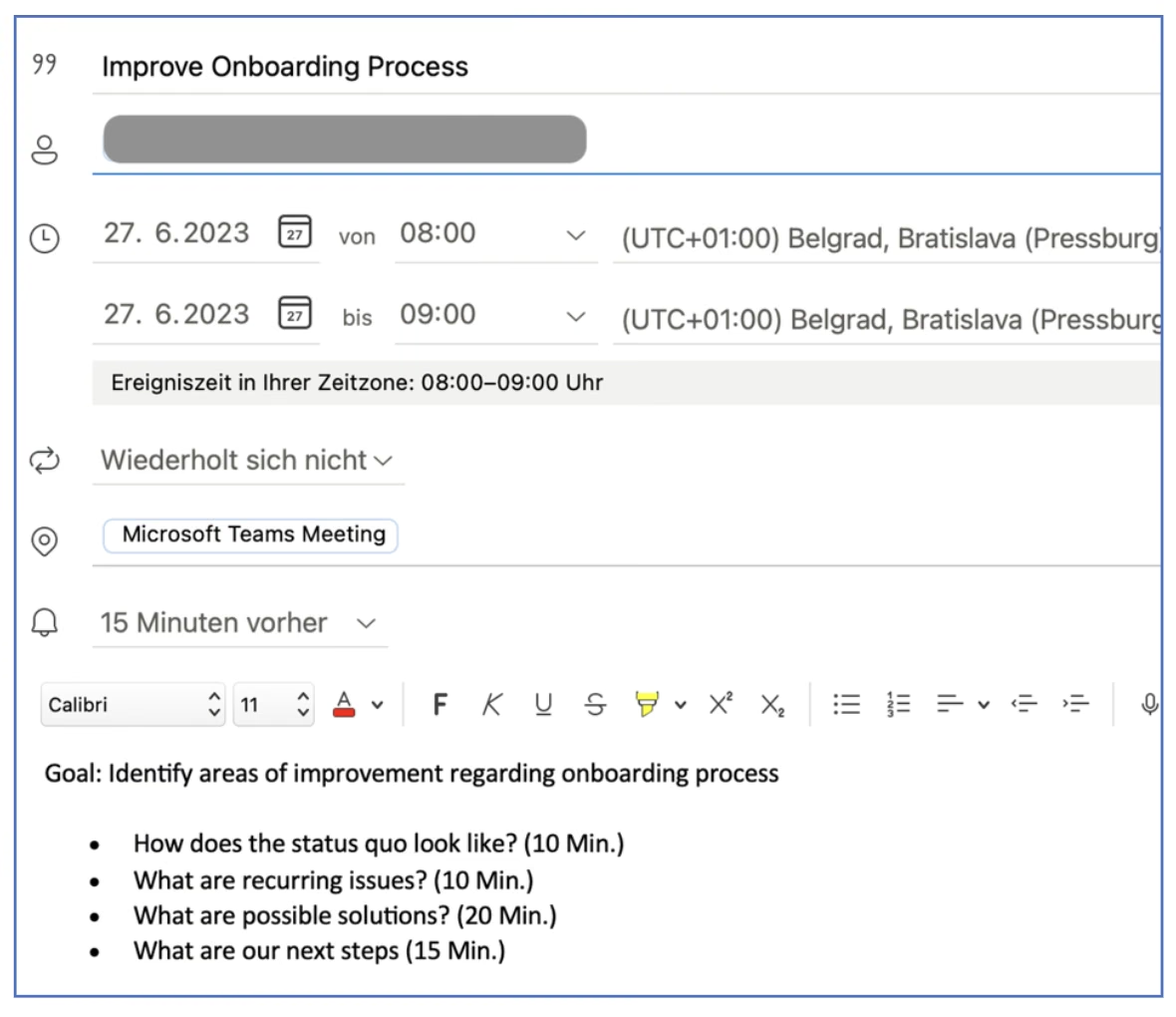
We have now introduced the rule that anyone who wants to set up a meeting should first ask themselves: what do I want to have discussed, decided or discovered by the end of the meeting? The first step is therefore to define one or more meeting goals in bullet points. These should then be part of the calendar invitation.
3. Designing an effective agenda
Having a meeting agenda helps all participants to set clear expectations for the meeting. We have decided that every meeting should have an agenda – before the meeting starts. It should be included in the calendar invitation. It does not have to be complicated; two to three bullet points are completely sufficient.
A few tips for an effective agenda:
- Define who is responsible for which topics
- Select topics that are relevant to the whole team
- List the individual agenda items as questions
- Estimate a realistic time frame for each topic
- Specify how participants should prepare for the meeting
4. Moderating meetings
In meetings, it is also important that someone takes responsibility for the process and the results. For us, that is the person who sends the meeting invitation. This person is automatically the moderator of the meeting and responsible for its structure and process. First and foremost, the aim is to make the best possible use of the meeting time.
A few more rules:
- It should be okay for the moderator to interrupt others
- The moderator is responsible for ensuring that notes are taken during the meeting. The moderator can assign this task to other participants.
- If possible, the meeting should not be moderated by a manager; this gives participants more freedom over the content of the meeting.
5. Writing meeting notes
At the start of the meeting, the moderator defines who is responsible for the meeting notes. We record project-related meeting notes in Confluence – our central tool for documentation and knowledge transfer.
For notes that are not project-related, our employees are free to use a tool of their choice. That could be Microsoft OneNote, Microsoft Teams or a simple Word document.
Must-have information:
- Date
- Participants
- Key insights
- To-dos with deadline and owner
Conclusion
Changing the culture of an organization is not easy and requires a lot of perseverance. It is rather unlikely that all employees will change their behavior at once and then follow all the new meeting rules 100%. It helps to have realistic expectations. Managers play a particularly important role as role models here.
What we have achieved so far is that the topic receives a certain amount of attention and employees are more critical of unstructured meetings. A few weeks after the introduction, it is still the case that about half of our workforce (52%) follows the meeting rules.
Very much in the spirit of custom software development, we keep the option open to revise the meeting rules. I keep reading exciting ideas on the topic of meeting culture and will incorporate them if they seem useful. We also regularly run short surveys ("pulse checks") to gauge the current mood and make changes if necessary.
Did you recognize patterns that also occur in your company? Then why not consider holding a meeting about meetings and starting with simple rules? I promise you that the time savings and employee satisfaction are well worth it.


Tech Newsletter
Join our 2,000+ subscribers and receive monthly updates on our latest articles, case studies, webinars, events, and industry news.