Tailwind CSS 4.0 put to the test: CSS variables, container queries and more


TL;DR
Upgrading to Tailwind CSS v4 makes our development work more pleasant and gives us new features such as container queries along with a faster development environment. With the focus on CSS variables, the detour via Sass falls away and we use more native CSS functions instead.
Previously tailwind.config.ts
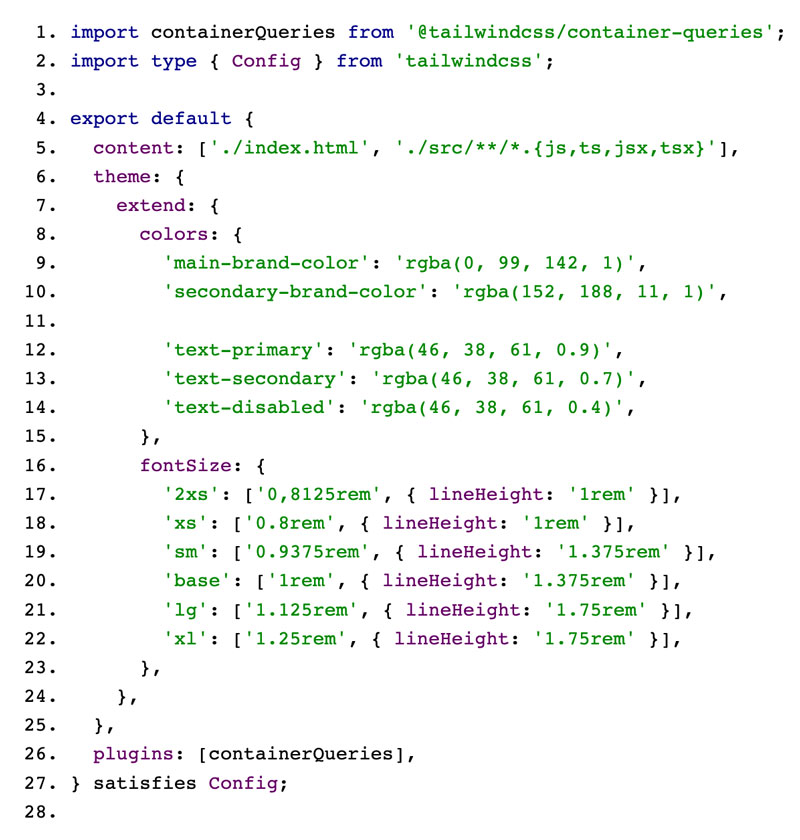
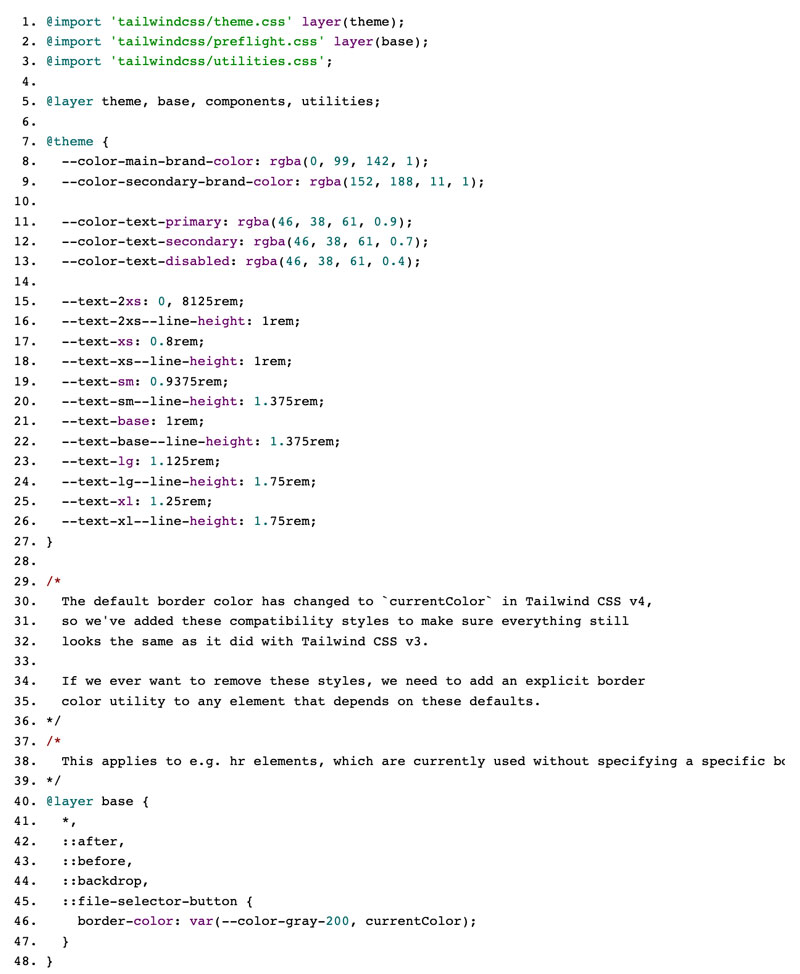
Later: tailwind.css
vite.config.ts

Why update to Tailwind CSS 4.0 at all?
Until now we used PostCSS and Sass to build our CSS. The reason was simple: Tailwind 3 required these tools, so we used them. With Tailwind version 4 that is different. Sass is no longer supported. On the one hand that is a certain limitation, on the other it simplifies the configuration and has led to a simpler toolchain for us.
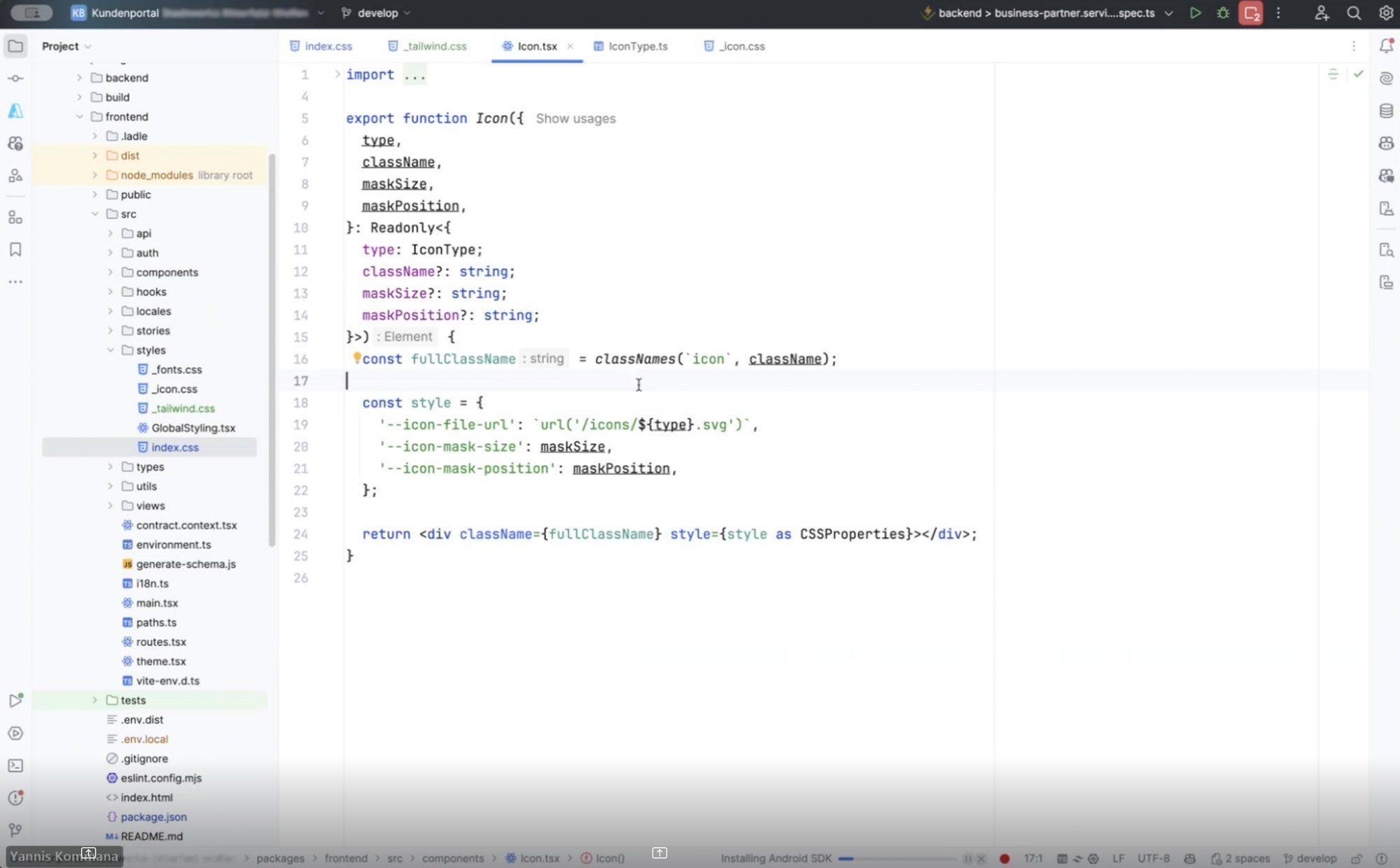
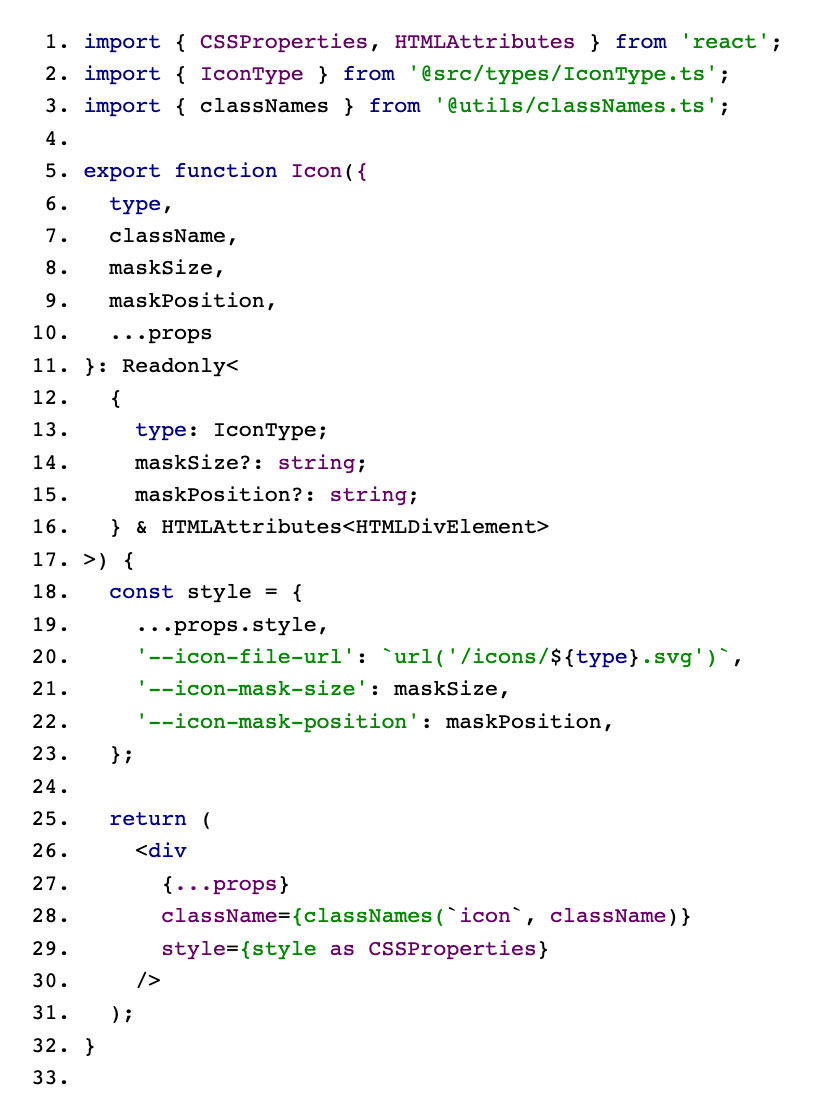
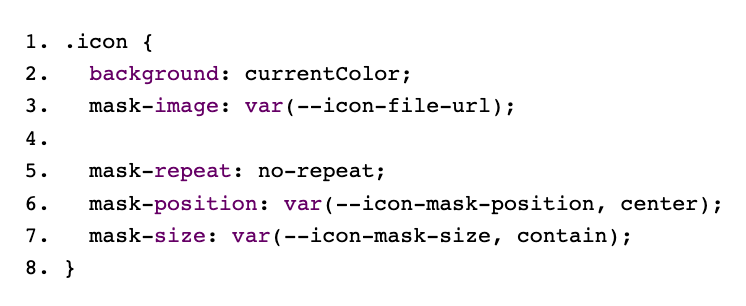
One example: instead of creating several Sass files for icons, you can now include any graphic you want with a single class and a CSS variable. One of my colleagues describes this approach as easier to follow and more flexible. If you want to update your Tailwind CSS projects from v3 to v4, I can recommend this guide.
Faster builds, simpler workflow
Based on our own tests and observations, Tailwind CSS 4.0 promises considerably shorter development times: a full rebuild is said to be up to three times faster than before, while incremental builds can reach even greater speed-ups. That is a real plus, particularly if you adjust code or experiment frequently.
Another important step: moving away from PostCSS and using native CSS features such as color-mix() and cascade layers reduces the need for external tooling. Instead of installing several plugins, a single import line in the central CSS file is now enough.
Configuration in CSS variables: the new guardrail
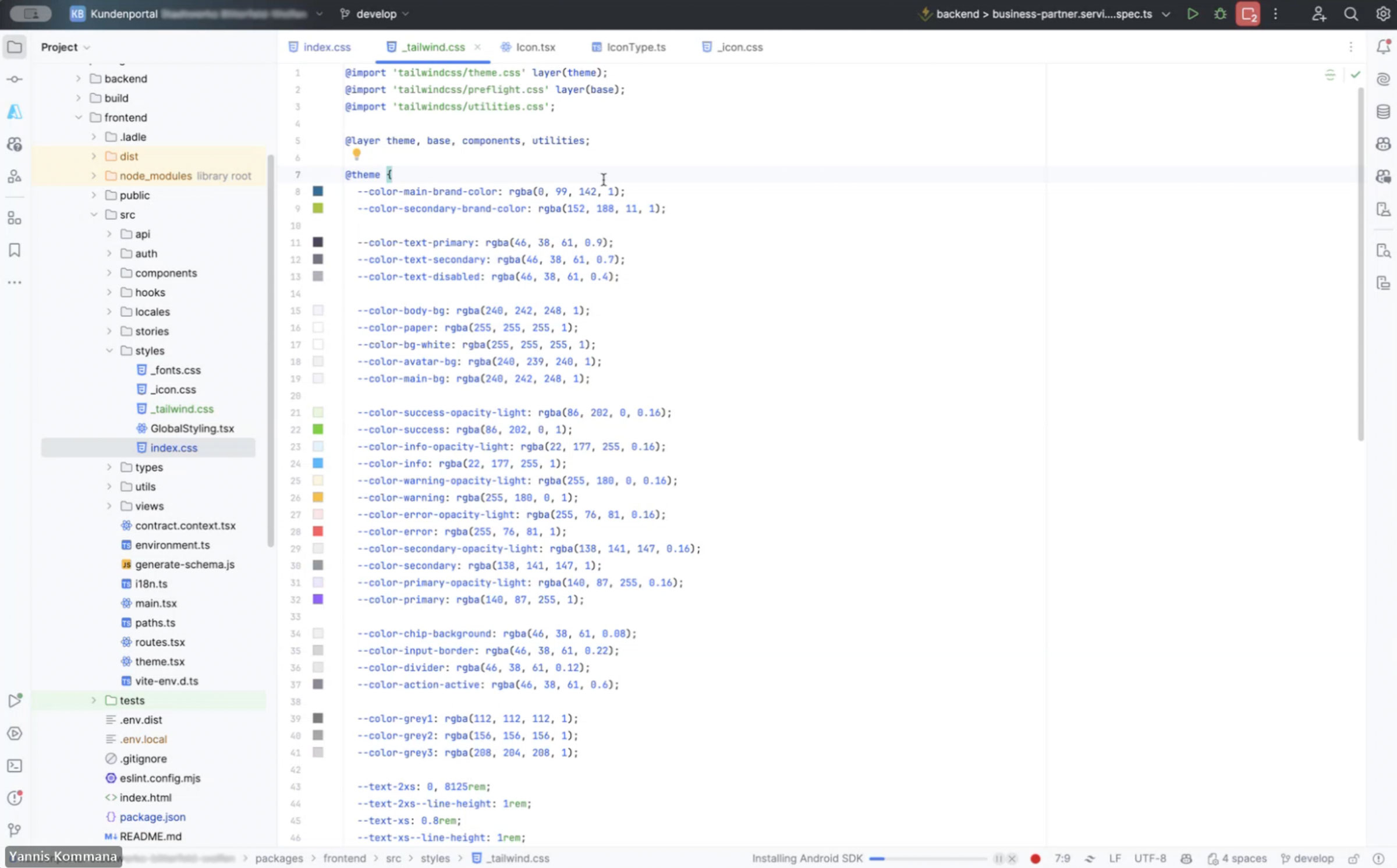
For us the switch to CSS-first configuration was one of the most interesting aspects. Until now, configuration was often spread across various JS and TS files. Now we have a central theme in CSS that holds all the essential variables such as colours, spacing and fonts. That reduces friction: with real variable names, styles and icons can now be updated directly.
Naturally this also raises questions about existing Sass files or more complex WordPress styles. In our experience you can migrate step by step, though, and transfer the code cleanly into CSS at critical points such as table styling. AI tools can also take over a large part of the work in this migration.
More new features: container queries, 3D and more
If you are looking for more than pure performance, Tailwind CSS 4.0 offers further tools:
- Container queries: elements can finally respond to the size of their container without additional plugins. That simplifies the development of modular frontends.
- 3D transforms: animated rotations and translations along the x or y axis are now a standard part of the toolkit. This opens up interesting possibilities for interactive UIs.
- Dynamic utility values: from arbitrary values through to configuration-free grid columns, many functions now work without the definition in a config file that used to be necessary.
- Extended gradient APIs: conic and radial gradients, colour interpolation with OKLCH and more. An important step forward for many designers.
Concrete improvements in everyday work
In larger projects in particular, we find that constantly readjusting utility classes runs more smoothly. If you want to set up 15 columns in a grid on the spur of the moment, for example, you can now define that directly in the markup. Add to that faster builds and simpler imports, which streamline the deploy process.
Migration scenarios naturally depend on your existing codebase. If you already use a lot of Sass mixins and PostCSS plugins, a gradual migration is advisable. According to the official information, an automated upgrade tool can convert a large part of the configuration. Small pilot projects let you find out with relatively little risk which areas can be migrated straight away.
Conclusion
Tailwind CSS v4.0 shows promisingly how CSS-first configuration and powerful new features can speed up workflows in frontend development. From shorter build times through container queries to extended gradient options: the update is an important step for teams looking for more clarity and greater flexibility in their projects.
Want to talk to us about your digital project? Book a no-obligation consultation now.
Bonus: using SVG icons properly
There are various ways to use SVG icons in React applications.
Including them directly as React components, as create-react-app suggests, for example. The disadvantage of this is that the SVGs bloat the JavaScript bundle.
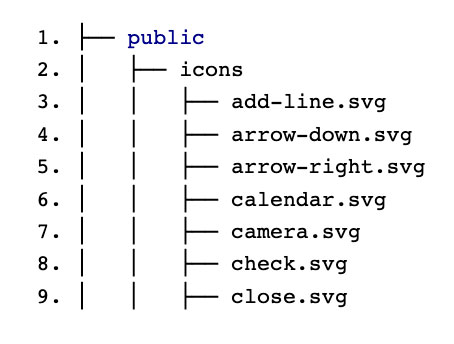
An alternative way is to reference the SVGs as a background image. The advantage is that the browser loads the resources individually only when they are needed.
In our case it looks like this:
Icon.tsx
IconType.ts
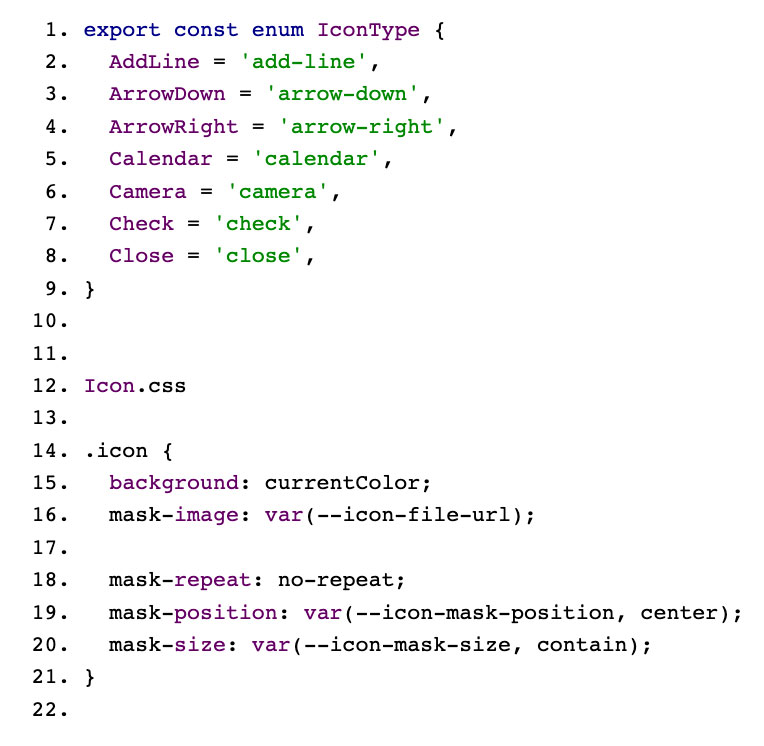
Icon.css
Icon files



Tech Newsletter
Join our 2,000+ subscribers and receive monthly updates on our latest articles, case studies, webinars, events, and industry news.